Windows has a horrible misbehavior when it updates itself in a partitioned environment.
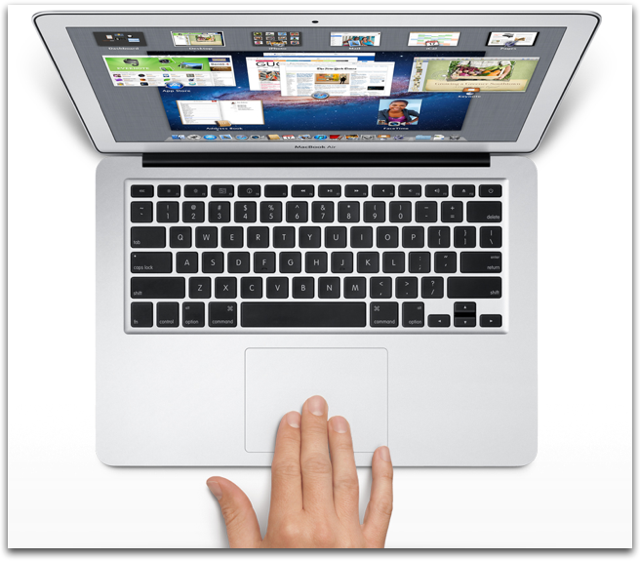
This hit my son hard when, home for the holidays, his Windows 7 installation in a small Boot Camp partition on his MacBook Pro decided to run Windows Update, which is a behavior that is enabled by default and un-obvious to turn off in Win7. From what I'm reading, the behavior is hazardous to many types of systems, not just Windows-on-Mac situations.
From Microsoft's forums:
"Windows Installer [creates] a temporary folder on the logical volume with the most free space, during the actual installation process, but that folder is deleted after use."
...The trouble is, it will do that even if that capacious volume is not a Windows-formatted partition!
Meaning, if you're running...
- A server,
- A Storage Area Network or file-server,
- A multi-boot configuration
...in which more than one logical volume are visible to Windows or where your physical volume is partitioned into two or more logical volumes...
...then Windows 7's commandeering of the largest partition for scratchpad purposes can damage the file system on that partition.
Astonishing. Totally unacceptable behavior from an operating system.
(Most virtual machine configurations including cloud instances cannot see host partitions, but SANs and file servers are routinely accessible to them, and this behavior might put them them at risk.)
This results in tales of woe such as are increasingly documented on Apple's support forums with scary headlines like "Unrepairable disk errors on Mac partitions caused by Bootcamp Windows updates?"
In my son's case, his OS X installation summarily disappeared during the Windows Update process, and the machine could no longer be booted except into Windows. His panicked trip to the local Apple Store just before closing time resulted in a gratifying all-hands-on-deck response from the Genius Bar and an impressive deployment of all their tools, but the tools reported that the drive was irreparably hosed. His backup drives are back at his college, and (ahem) a month out of date.
Fortunately he has a geek for a dad, and I was eventually able to get into his damaged partition using various tricks including the marvelous Target Disk Mode which allows a Mac to act like an external disk drive for another Mac. Ultimately I was able to copy all his files over to a USB hard disk. But the damaged partition was really and truly ruined; the disk needed reformatting if it was going to be used at all.
As I write, the machine has a freshly formatted disk and no further Boot Camp partition. He'll run Windows in a virtual machine when needed from now on. Fortunately, he's running OS X Lion, so the machine could be booted into Recovery Mode after its disk was wiped; it just performed an Internet Recovery and is now downloading and installing the operating system. Soon it will be sporting a fresh installation of OS X; the download process takes a little over an hour on our WiFi. No CDs needed! Pretty wonderful. We'll then copy his files back, and he'll be back in business.
Lessons:
- Be very cautious with Windows 7 in a partitioned, multi-boot situation, and very possibly where there are big file resources available on LAN.
- If you use Win7 as one of several OSes, then prefer virtual machines over multi-boot implementations (e.g., Boot Camp)
- BACK UP!!
UPDATE:
Poster "Intell" at the invaluable MacRumors forum notes,
Windows when started up on Boot Camp does not have write abilities to a Mac/HFS+ formatted volume, when using Apple's drivers. Thus, the installer will be forced to use the Windows/NTFS volume. Furthermore, the installer will only do this to internal NTFS formatted drives with priority given to the current startup disk. |
So perhaps my son's tale of woe and those of the unfortunates populating forum threads like "Unrepairable disk errors on Mac partitions caused by Bootcamp Windows updates?" relate to improperly installed, corrupted or out-of-date drivers.
So add another couple bullets to the list of lessons:
- Follow Apple's Boot Camp installation instructions to-the-letter
- Ensure your Boot Camp drivers are installed and current
Users of other multi-boot environments should take heed as well.
Also consider turning off automatic updates so installation can be approved at a convenient time and when the computer has been backed up. To do so: Click the Start button, select Control Panel, then select Windows Update. In the left-hand bar, select Change Settings. Then, in the Important Updates field, consider "Download updates but let me choose whether to install them." Selecting this option will prevent spontaneous update installations, including those annoying installations that trigger on shut-down ...especially when the machine senses you're in a hurry, or so it sometimes seems.
Also consider turning off automatic updates so installation can be approved at a convenient time and when the computer has been backed up. To do so: Click the Start button, select Control Panel, then select Windows Update. In the left-hand bar, select Change Settings. Then, in the Important Updates field, consider "Download updates but let me choose whether to install them." Selecting this option will prevent spontaneous update installations, including those annoying installations that trigger on shut-down ...especially when the machine senses you're in a hurry, or so it sometimes seems.